



Here’s a fact you must know: Your potential customers are constantly looking for you.
The question remains, are you easy to find?
As a beauty entrepreneur or manager, one of your job descriptions is to constantly look for and explore ways to promote your business to attract new customers. Setting up your salon or spa’s Google Business Profile (formerly Google My Business) is a free, effective way to improve online visibility so customers can find you more easily.
Here’s why you should care:
Almost half of all Google searches are local. What’s more, local searches that include phrases “near me” or “close by” (e.g., “Hair salons near me” or “Medical Spas close by”) have more than doubled in two years.
For product and service-related searches, Google tends to provide localised results, showing businesses around the searchers. See the image below:
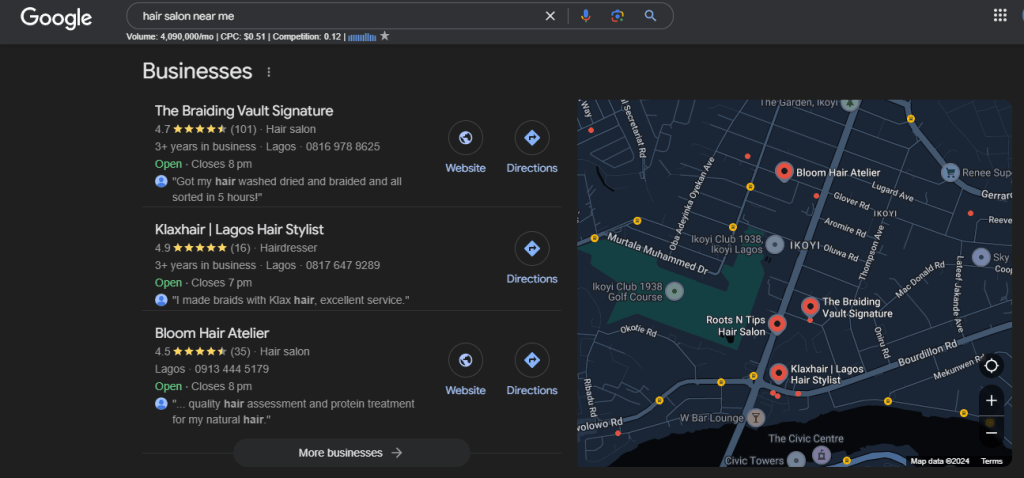
This type of result, known as Local Pack, appears in many Google first-page results. To feature on Google Local Pack and take advantage of the free promotion, you must list your business on Google.
In this article, I’ll explain what exactly this Google feature is, why you need one, and how to set up a Google Business Profile for your salon or spa.
What is Google Business Profile?
Google Business Profile is a free marketing tool by Google that lets businesses like salons and spas manage how they appear in Google Search and Google Maps.
The details you provide about your business when setting up a Google Business Profile are used across Google to increase your visibility in online search. Most businesses, including yours, are eligible for Google Business Profile with or without a physical location.
What are the benefits of Google Business Profile?
Before we get right to how to set up your Google Business Profile, let’s look at some of its benefits.
1. Potential customers can find you more easily

Providing accurate details like location and contact about your business lets Google show your salon or spa in the results of relevant local searches. For example, say someone makes a location-based search, such as “Barbing salons in Victoria Island, Lagos,” Google uses your provided business information to determine if your business is the best fit.
2. You can control online business information
After setting up Google Business Profile, you can update your information anytime. It gives you control over sharing your business details like opening hours, website, booking link, and phone number. Like this, your potential customers always have the most recent contact information to reach you on.
3. Build trust with customer reviews
Customer reviews are social proof that helps you build trust and credibility online. Potential customers are more likely to patronise you once they see that other people trust you.
For Google, a mix of positive and negative reviews shows your business is authentic and trustworthy and ranks your profile better because of it. So, don’t worry too much about maintaining a 5-star status.
How to set up a Google Business Profile in 10 easy steps
Follow these steps to set up your Google My Business listing:
Step 1: Get a Google Account
You need a Google account to use Google Business Profile. So, if you don’t already have one, create an account here and log in. It’s free.
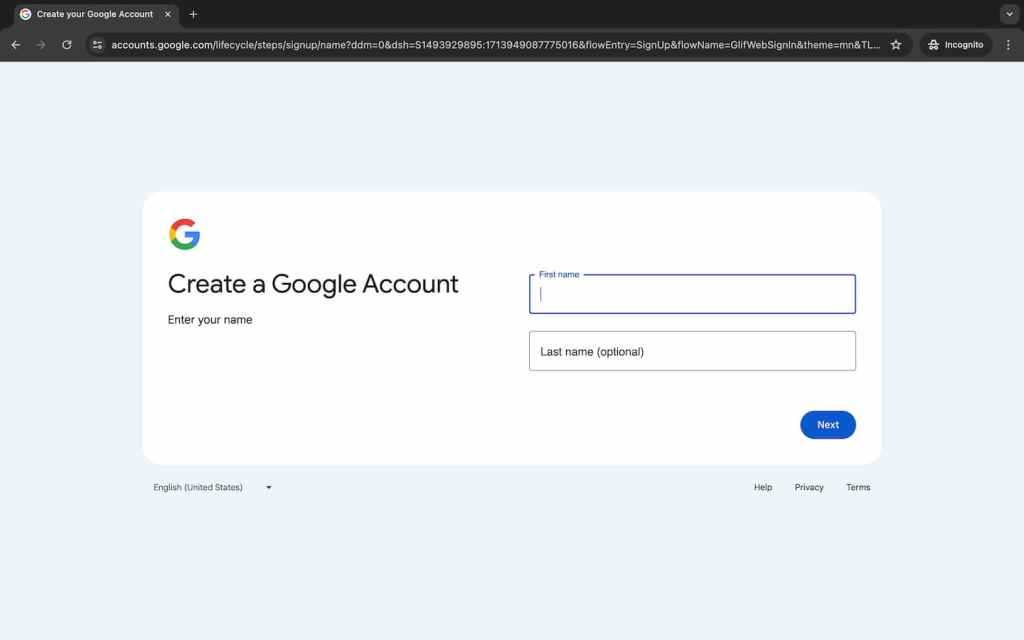
Tip: Use a dedicated work account for your business.
Step 2: Sign in to Google Business Profile
Go to your Google Business Profile page and sign in.

Once you’re signed in, add your business details as prompted.
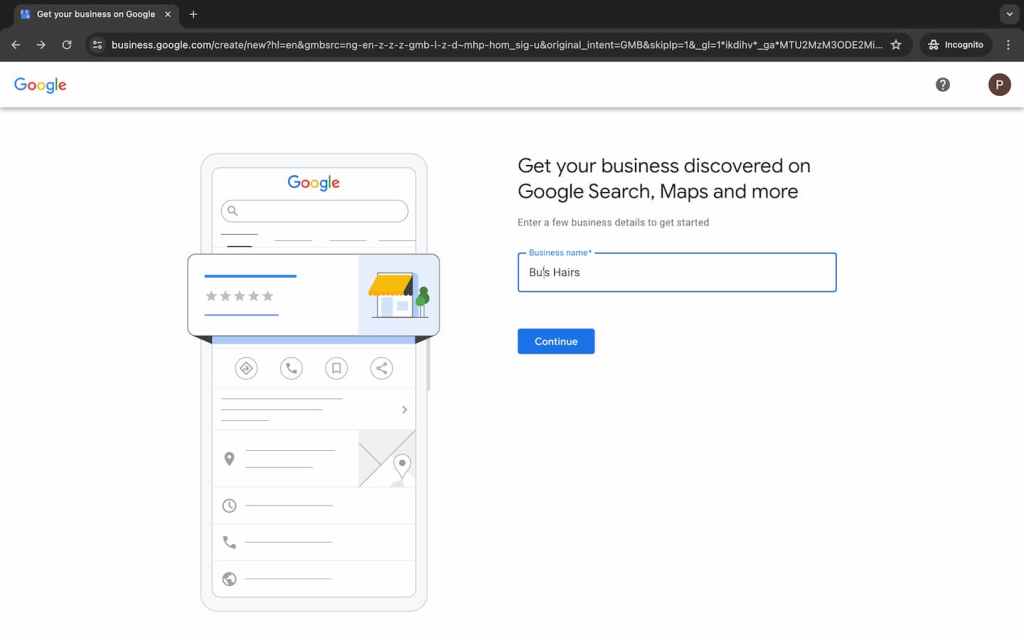
Step 3: Add your business name
Enter the name of your salon or spa in the field provided and click “Continue.”
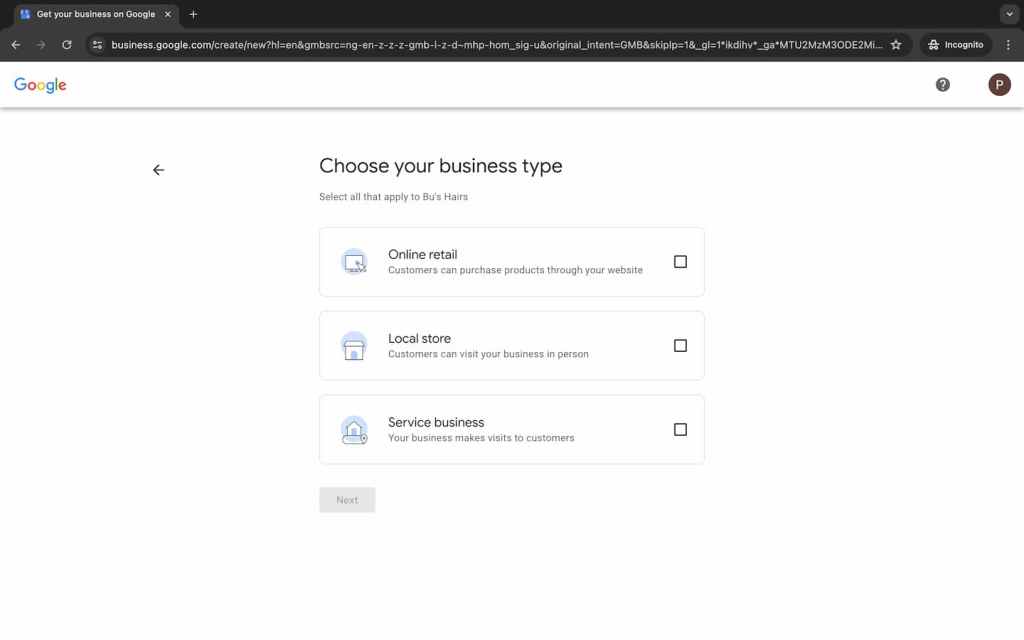
Step 4: Select your business type
Google Business Profile features three business types, including:
Online retail. You sell products to customers through a website.
Local store. You have a physical store customers can visit in person.
Service business. You visit customers to offer your services.
Select all that apply to your beauty business and Click “Next.”
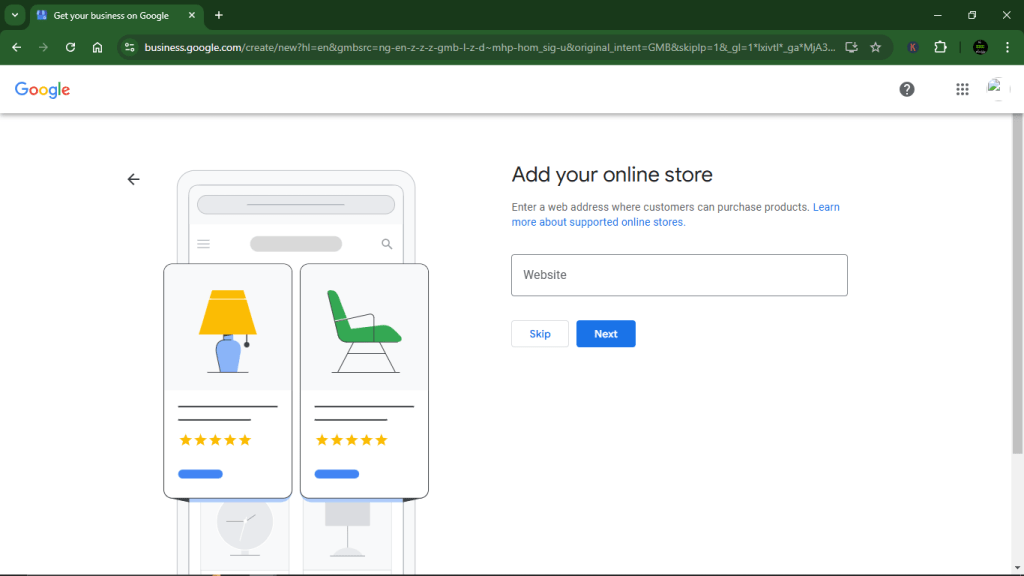
Step 5: Add your online store
Skip this if it doesn’t apply to your business.
But if it does, enter your website address through which customers can purchase products.
Step 6: Choose a business category
The Google Business Profile category feature is one of the biggest ranking factors, as it largely determines how and when your business will appear in local searches.
Ensure the category you choose accurately reflects your business offerings. Categories for beauty business include “hair salon,” “spa,” “barber shop,” “make-up artist,” etc.

Step 7: Submit a business address
Skip this if your business doesn’t have a physical location customers can visit in person. If you do, however, fill in your business address accurately.
The fields for this section on Google Business Profile include country or region, street address, Local Government Area (LGA), city, state, and postal code.
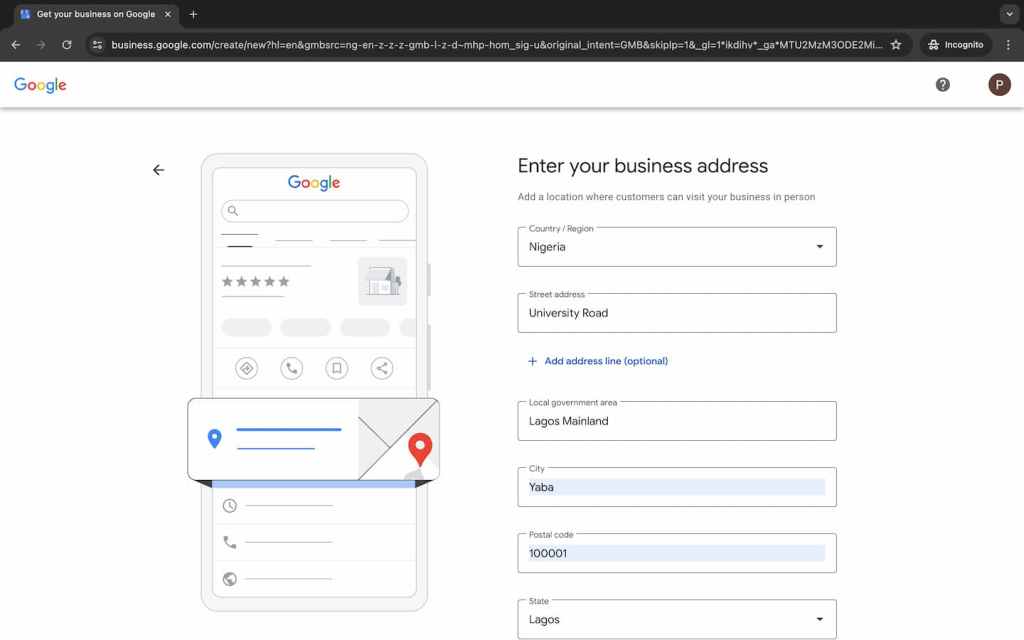
Then, confirm your location on Google Maps.

Step 8: Input your phone number
This is another important section on your Google Business Profile, as it allows your customers to get in touch with your business.

After you input your phone number, this screen will pop up:
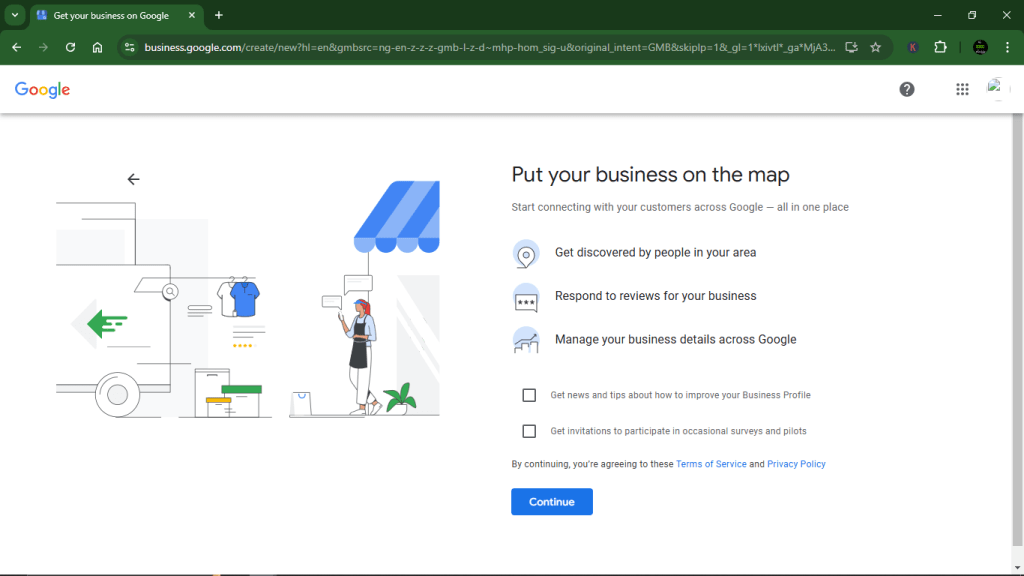
You can choose to check the boxes or not, after which you click on “Continue.”
Step 9: Verify your business
Before listing your business on Google Business Profile, Google needs to verify that you own the business in question. You can do this through your email, the phone number (call or text) provided, or a business video (the most common verification method).
For business video, you’ll be required to record a video of your business showing:
- Location of your business (e.g., a street sign or storefront).
- Equipment (e.g., hair dryer for hair salon).
- Proof of management (e.g., unlocking shop, operating payment tool, or holding proof of address).
Google will only use your video verification and won’t show it publicly.

Verifying your Google My Business by email and phone number is generally unavailable for new profiles to prevent spam and fake businesses.
Step 10: Customise your business profile
You’ll be required to follow a few steps to customise your Google Business Profile.
i. Add your services
Select all services your salon or spa offers to help the right customers find your business.
Say you’re a hair salon — meaning you selected “Hair Salon as your business category — some of your services can include haircutting, washing, and colouring.

ii. Add business hours
This is especially important for beauty businesses with physical locations.
Let your potential customers know when your salon or spa is open for business. Select days, from Sunday to Saturday, and hours customers can come in.

iii. Add a business description
Here’s your opportunity to introduce your beauty business to your customers.
You can customise the template below for your salon or spa:
“Welcome to [business name]!
We’re your go-to destination for everything [beauty service e.g., hair care, skincare, make-up] in [your specific location].
Our team of skilled professionals is dedicated to offering personalised services that’ll make you feel confident and beautiful.
From [specific service e.g., hair colouring] to [specific service e.g., hair treatment], we offer a wide range of services to suit your needs.
Step into our [salon or spa] and let us pamper you with top-notch service and expert care.
Book your appointment today and discover the difference at [business name].”

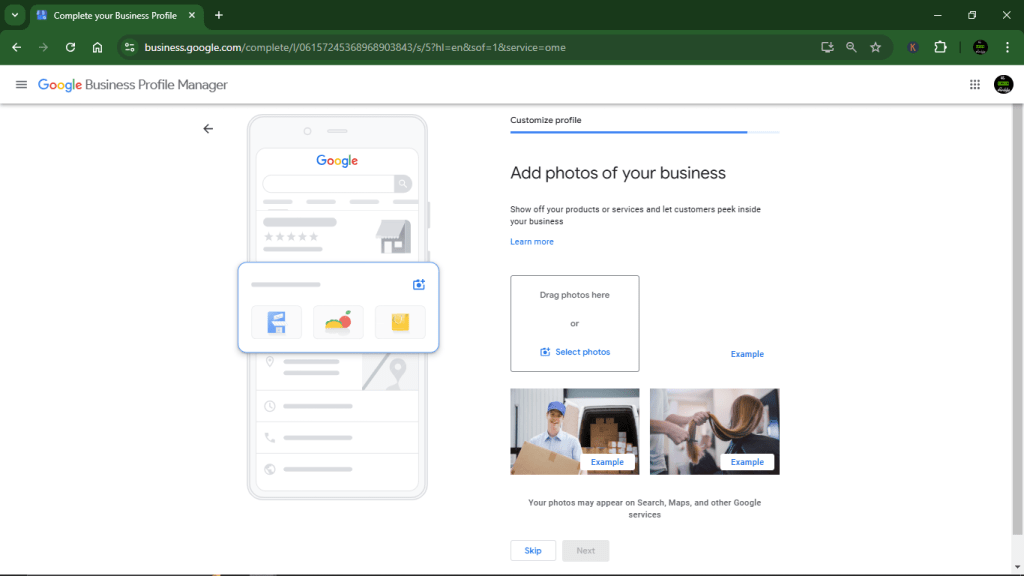
iv. Add photos of your business
These photos will appear alongside your business profile on Google Search and Maps.
Showcase your products or services (e.g., hairstylist at work), giving your customers a peek into your beauty establishment.
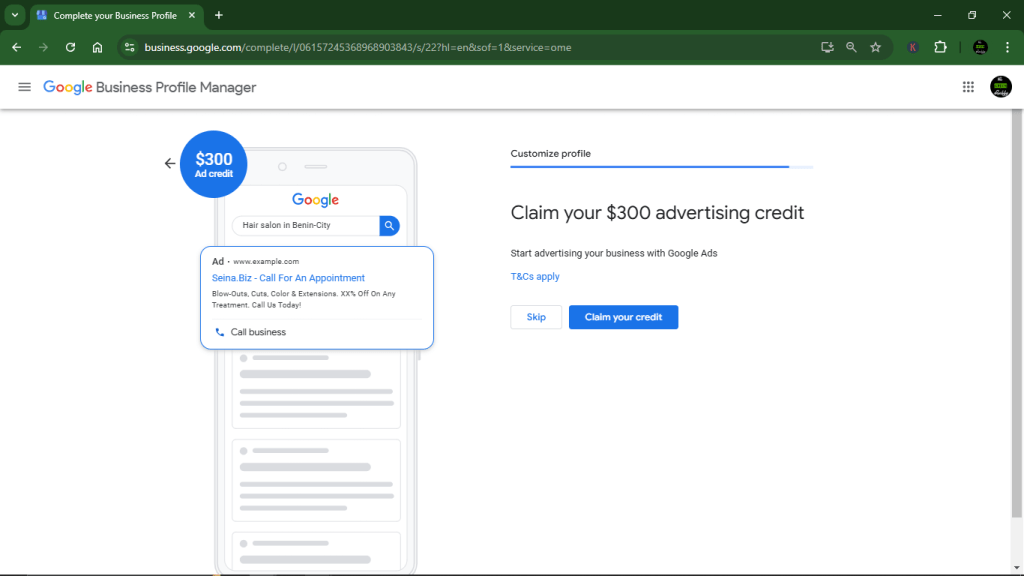
v. Advertise with Google Ads
Rather than just relying on organic search results, you can improve your chances of being found by advertising with Google Ads. You can skip this for later.
Conclusion
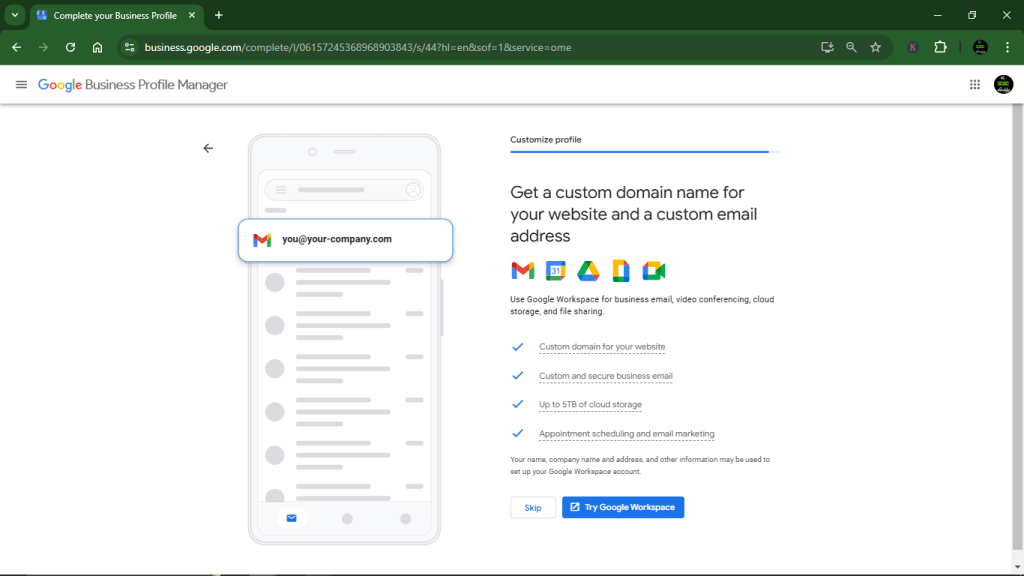
Once you’re done, Google will prompt you to try out their Google Workspace. You can skip this.
Lastly, all your edits so far will become visible to the public on Google once your profile is verified.
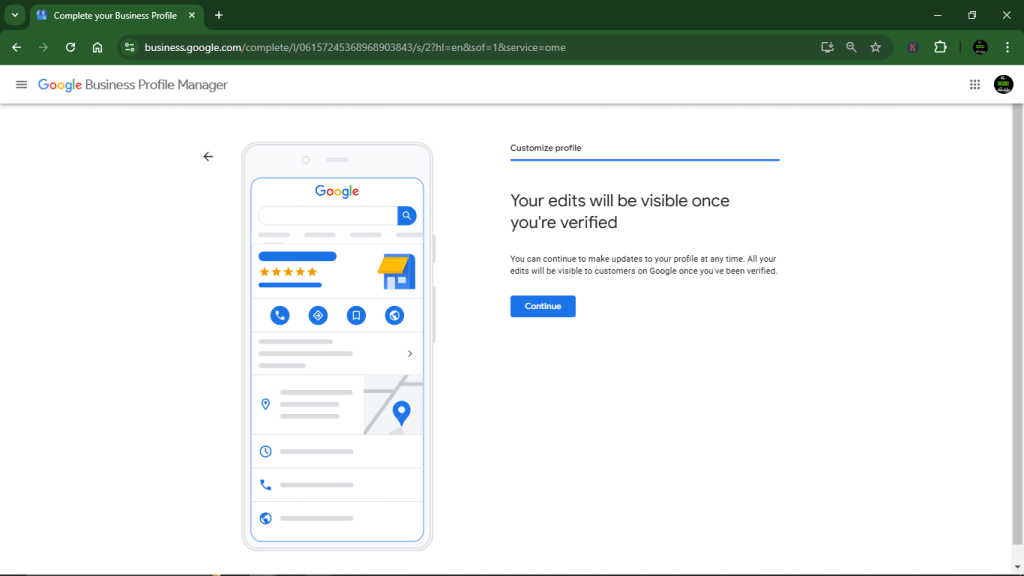
In the meantime, you can continue to add, remove, and update your profile. Now that you know how to set up a Google Business Profile for your salon & spa, check out our comprehensive guide on optimising it to attract more customers.


