


The days of calling or walking into a salon just to book an appointment are fading gradually. Online booking isn’t just about keeping up with trends. It makes your salon more efficient, reduces no-shows, and helps you stay organised.
However, getting customers to use your online booking system can be a challenge. If you’ve set up an online booking option but find that clients still prefer calling, texting, or just showing up, it’s time to make a few strategic moves.
Here are five effective ways to encourage salon customers to book appointments online, along with how a management tool like Splice can make the process easier for you.
1. Simplify the booking process
If booking an appointment online feels like solving a puzzle, customers won’t bother. They’ll go back to calling or messaging instead.
Your online booking system should be:
- Fast. Nobody wants to spend five minutes clicking through unnecessary steps.
- Straightforward. Avoid asking for excessive details upfront. Stick to the essentials: name, service, date, time, and stylist preference.
- Mobile-friendly. Most bookings happen on smartphones, so your system should be easy to navigate.
With Splice, for instance, your customers can book in just a few clicks. The system automatically updates your schedule, reducing double bookings or scheduling mishaps.

2. Promote online booking, EVERYWHERE
Just because you have an online booking system doesn’t mean your customers know about it. You need to promote it across all your channels actively:
- Social media pages: Regularly post reminders on Instagram, TikTok, Facebook, and WhatsApp about how easy it is to book online. Use Stories, pinned posts, and even reels to showcase the convenience. Also, add a “Book Now” button to your bio.

- WhatsApp & SMS: Send direct booking links via WhatsApp broadcasts and Status, as well as SMS reminders.
- Website: Make the booking button easy to find. A “Book Now” tab should be visible on your homepage, service pages, and even your contact page.
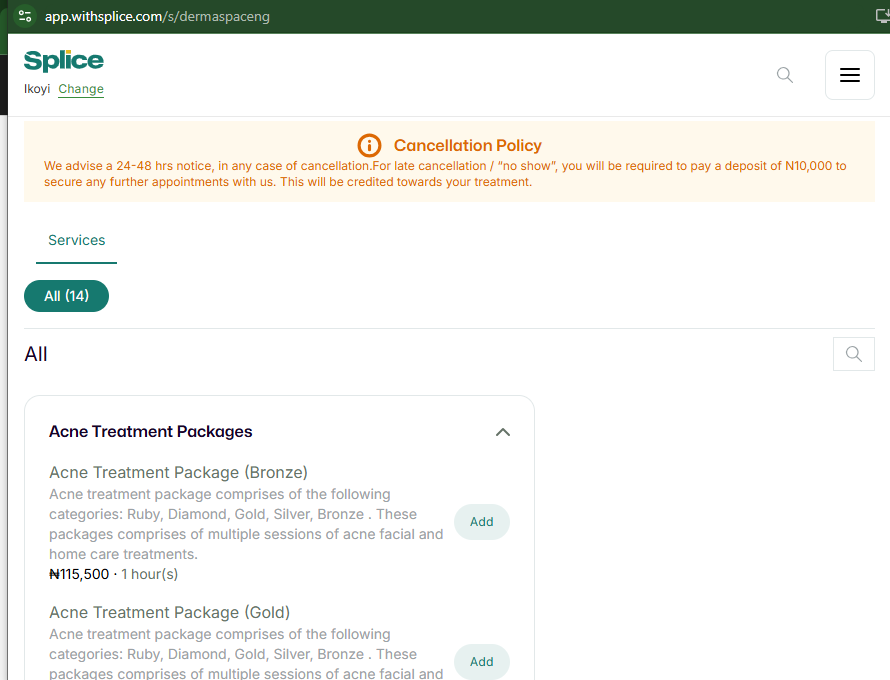
- Google Business Profile (formerly Google My Business): Ensure your booking link is easy to find on your Google listing. Many customers search online before booking, and you want to make their journey as smooth as possible.
- Email marketing: Use email to educate customers about your online booking system. Send a step-by-step guide, highlight the benefits (e.g., 24/7 access, instant confirmations, and reminders), and include a direct booking link to make it as easy as possible.
- In-salon signage: Place QR codes on business cards, mirrors, and checkout stations so customers can scan and book their next appointment before leaving.
- In-person reminders: Train your staff to remind customers at checkout. A simple “Next time, you can book online anytime. It’s quick and easy!” can work wonders.
Splice makes your booking link shareable across platforms, making it effortless for customers to book anytime.
3. Offer incentives for online booking
A little motivation goes a long way. Encourage customers to use your online booking system by offering small incentives:
You can offer discounts and freebies. Give a 5% discount for first-time online bookings or a free add-on service (e.g., a scalp massage or brow shaping). Or give priority or early access booking for online customers.
Also, you can award loyalty points to reward customers who book online by giving them points towards future discounts. Since Splice has a built-in loyalty tracking feature, you won’t have to manually keep track of these rewards.

4. Educate and remind customers
Some customers stick to phone calls simply because they don’t know how easy it is to book online. Your job is to educate them and remind them consistently.
- Train your staff. When a customer checks out, have your receptionist or a member of your staff encourage them to book their next appointment online.
- Create a quick how-to guide. A short Instagram video or a simple graphic explaining how to book online can work wonders.
- Send booking reminders. If a customer books a nail or hair appointment every 4 weeks, remind them when it’s time to come back. Don’t forget to include the online booking link for future visits.
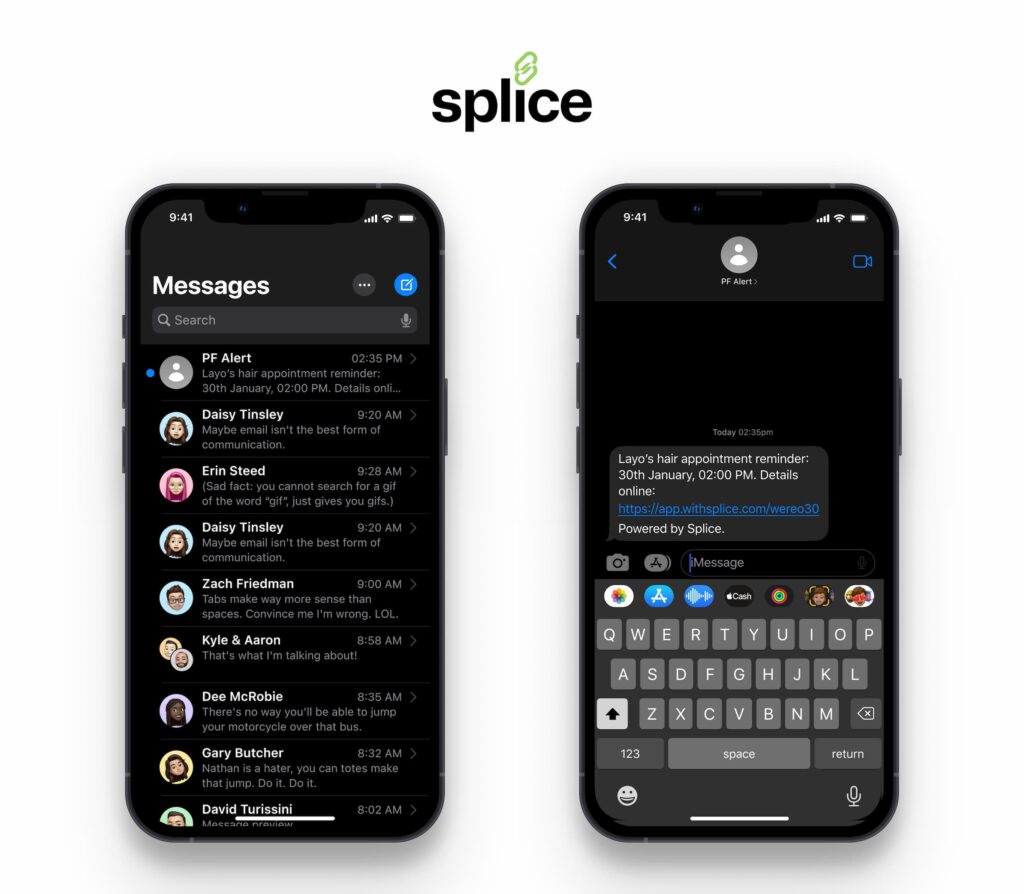
With Splice, you can automate SMS, email, and WhatsApp reminders and follow-ups, making it easier to keep customers informed.
5. Encourage repeat bookings
When is the best time to get a customer to book their next appointment?
Right after their current one.
Set up a system that automatically sends a follow-up message after a client’s visit. Include a direct booking link to make it easy for them to schedule their next appointment.
Offer pre-scheduled appointments. Some clients prefer consistency. Give them the option to book their appointments for the next 3–6 months in advance. This ensures they stay on track with their beauty routine while keeping your schedule full.
Conclusion
By simplifying the booking process, promoting it everywhere, offering incentives, educating customers, and encouraging repeat bookings, you’ll gradually shift your clients’ habits and make online booking the norm.
And with Splice, our free all-in-one beauty management tool, you won’t have to do all the heavy lifting. From automated reminders to seamless scheduling, the tool helps make online bookings smooth and stress-free.


